



Cheap Laptop Repair That Are Actually Worth It
A laptop problem can disturb your whole day. Work stops, classes get delayed, files become hard to access, and even a small issue starts feeling urgent. Cheap laptop repair sounds good when your...

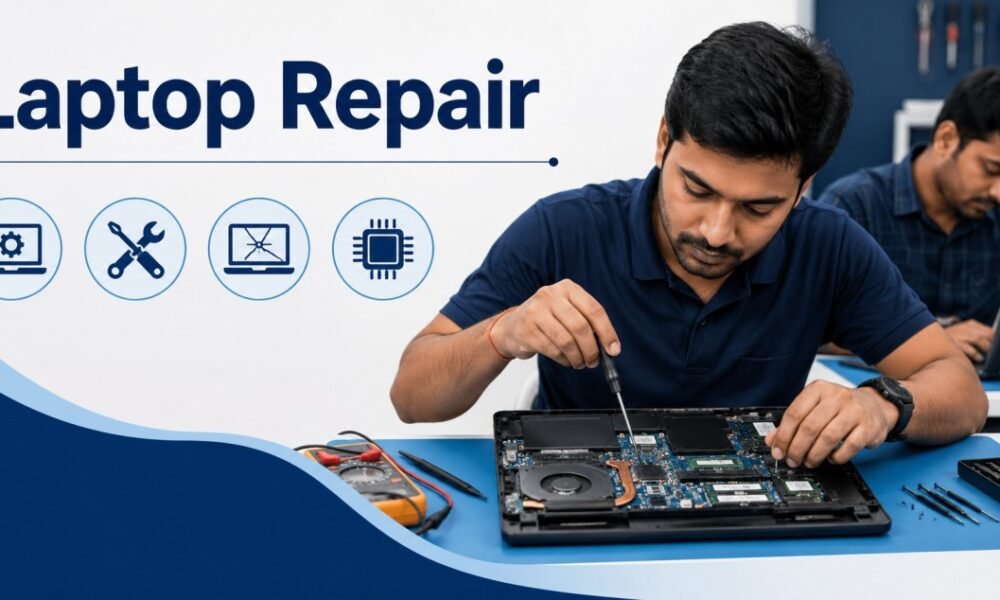
A laptop problem can disturb your whole day. Work stops, classes get delayed, files become hard to access, and even a small issue starts feeling urgent.
Table Of Content
- Why cheap laptop repair can be a smart choice
- Laptop repair for slow laptop issues
- Laptop repair for battery problems
- Laptop repair for charging issues
- Laptop repair for keyboard and touchpad faults
- Laptop repair for screen problems
- Laptop repair for overheating
- Laptop repair for software problems
- Cheap laptop repair for data recovery
- When laptop repair is worth the cost
- When cheap laptop repair may cost more later
- How to choose a laptop repair service
- Simple signs of a good repair
- Cheap laptop repair for students and office users
- Final thoughts
- FAQs
- 1. Is cheap laptop repair safe?
- 2. How do I know if laptop repair is worth it?
- 3. What is the most common laptop repair?
- 4. Can a slow laptop be repaired?
- 5. Is SSD upgrade better than buying a new laptop?
- 6. Why does my laptop shut down suddenly?
- 7. Can laptop screen damage be repaired cheaply?
- 8. Should I repair an old laptop?
- 9. Is motherboard repair worth it?
- 10. Can laptop data be saved during repair?
Cheap laptop repair sounds good when your budget is limited. The real question is simple: which low-cost repairs are safe, and which ones can create bigger problems later?
A good repair does not always mean an expensive repair. Some laptop issues can be fixed at a fair price if the damage is clear, the parts are available, and the technician checks the device properly. Classic Network and Computers can be considered by users looking for practical laptop repair support with a clear service approach.
Why cheap laptop repair can be a smart choice
Many laptop problems do not need a full replacement. A loose charging port, faulty keyboard, slow hard drive, weak battery, or software issue can often be repaired at a reasonable cost.
Cheap laptop repair becomes worth it when the repair cost is much lower than the price of a new laptop. For example, spending a small amount on a battery replacement makes sense if the laptop is working fine otherwise.
Repair is also useful when the laptop has important files, paid software, office data, or personal photos. A new laptop may solve the hardware issue, but it will not automatically bring back your old setup.
Laptop repair for slow laptop issues
A slow laptop is one of the most common problems users face. Apps take time to open. The browser freezes. The laptop takes several minutes to start.
In many cases, the issue comes from old storage, low RAM, unwanted programs, malware, or a full system drive. These problems can often be fixed without buying a new machine.
Common low-cost fixes include:
- Removing unwanted software
- Cleaning temporary files
- Checking for viruses
- Upgrading RAM
- Replacing an old hard drive with an SSD
- Reinstalling the operating system when needed
An SSD upgrade is often worth the money. It can make an old laptop feel much faster, especially if the laptop still has a traditional hard drive.
Laptop repair for battery problems
Laptop batteries wear out with time. A weak battery may drain quickly, shut down suddenly, or stay stuck at a certain percentage.
Battery replacement is usually worth it when the laptop works fine while connected to the charger. Before replacing the battery, the technician should check the charger, charging port, and power circuit.
A cheap battery from an unknown source can swell, heat up, or fail early. Pick a proper compatible battery instead of choosing the lowest possible price.
Good battery repair means the laptop charges safely and gives stable backup. Saving a little money on a poor battery can become costly later.
Laptop repair for charging issues
Charging problems can come from many places. The charger may be faulty. The charging pin may be loose. The charging port may be damaged. The motherboard may have a power issue.
This is why a quick check matters before repair.
A charger replacement is usually simple and affordable. A charging port repair may cost more, but it is still cheaper than replacing the laptop.
A motherboard-level charging issue needs more care. This repair should be done by someone who understands laptop circuits. Poor soldering or wrong diagnosis can damage the board further.
Laptop repair for keyboard and touchpad faults
Keyboard issues are common in laptops used daily. Some keys stop working. A few keys type double letters. Liquid spills can also damage the keyboard.
Keyboard replacement is usually worth it if the laptop is in good condition. It gives the device a clean working feel again.
Touchpad problems may come from driver issues, loose connectors, or hardware damage. A proper check can save money because some touchpad issues can be fixed through settings or driver updates.
If the keyboard has liquid damage, the laptop should be checked inside. Liquid can reach the motherboard and cause problems after a few days or weeks.
Laptop repair for screen problems
Laptop screen repair can be worth it when the display is cracked, flickering, dim, or showing lines.
A screen replacement is usually cheaper than buying a new laptop. The cost depends on screen size, display type, resolution, and model availability.
Before replacing the screen, the technician should check whether the issue is from the display panel, display cable, graphics chip, or motherboard. A wrong screen replacement wastes money.
If the laptop works fine on an external monitor, the issue may be limited to the laptop display system. That makes repair more practical.
Laptop repair for overheating
A laptop that heats too much can slow down, shut down, or damage internal parts. Overheating usually happens because of dust, dry thermal paste, blocked air vents, or a weak fan.
Cleaning and thermal paste replacement are usually affordable. This repair is worth it because heat can reduce the life of the laptop.
Signs of overheating include:
- Loud fan noise
- Sudden shutdowns
- Hot keyboard area
- Slow speed during normal work
- Heating during video calls or browsing
Regular cleaning can prevent expensive repairs. It is one of the simplest ways to keep a laptop running well.
Laptop repair for software problems
Software issues are usually cheaper to fix than hardware issues. Common problems include slow startup, virus infection, blue screen errors, Wi-Fi issues, printer connection errors, and system crashes.
A clean software repair may include system scan, driver update, operating system repair, data backup, and safe reinstallation.
Users should always ask about data safety before any software repair. Formatting the laptop without backup can lead to data loss.
A good technician will ask before deleting files, reinstalling Windows, or changing storage partitions.
Cheap laptop repair for data recovery
Data recovery can be simple or complex. If files were deleted recently, recovery may be easier. If the hard drive is physically damaged, the cost can increase.
Cheap data recovery is worth trying only when the case is simple and the storage device is still readable.
For serious cases, avoid repeated attempts. Every failed attempt can reduce the chance of recovery, especially with a damaged hard drive.
If your laptop makes clicking sounds, does not detect the drive, or asks to format the disk, stop using it and get it checked.
When laptop repair is worth the cost
Laptop repair is usually worth it when the laptop is less than 5 years old, the repair cost is reasonable, and the main parts are still in good condition.
Repair makes sense when:
- The laptop has a good processor
- The screen and body are in decent condition
- The repair cost is much lower than a new laptop
- The laptop supports SSD or RAM upgrades
- The issue is limited to one part
- Your data and software setup matter
For example, replacing a keyboard, battery, charger, or SSD is often a smart expense. These repairs can extend laptop life without a large budget.
When cheap laptop repair may cost more later
The lowest repair price can create problems if the part quality is poor or the technician skips proper testing.
Be careful with repairs that include:
- Unknown batteries
- Unbranded chargers
- Poor screen panels
- Quick motherboard fixes without testing
- No bill or service record
- No explanation of the issue
- No data backup discussion
A repair should solve the problem clearly. If the same issue returns again and again, the first repair was probably incomplete.
How to choose a laptop repair service
Before giving your laptop for repair, ask a few simple questions.
Ask what the problem is, what part needs repair, what the cost will be, how much time it will take, and whether your data will be safe.
Also ask whether the replaced part has any warranty. Even a short warranty gives confidence.
A good laptop repair service explains the issue in plain language. You should not feel confused after the inspection.
Simple signs of a good repair
A good repair is visible in daily use. The laptop starts properly. The battery charges normally. The keyboard works cleanly. The screen has no flicker. The fan does not make unusual noise. The laptop does not shut down without reason.
Ask the technician to test the laptop before you take it back.
Check these things:
- Charging
- Wi-Fi
- Keyboard
- Touchpad
- Speaker
- Camera
- USB ports
- Screen brightness
- Battery backup
- File access
This 5-minute check can save another visit.
Cheap laptop repair for students and office users
Students usually need laptops for online classes, assignments, research, exams, and video calls. Office users need laptops for email, documents, meetings, reports, and daily work.
For both, quick repair matters. A low-cost SSD upgrade, charger replacement, keyboard repair, or system cleanup can bring the laptop back into daily use.
If the laptop is used for basic work, repair is often better than buying a new device immediately. A small repair can give enough performance for browsing, MS Office, online meetings, and study work.
Final thoughts
Cheap laptop repair is worth it when the problem is clear, the parts are reliable, and the repair cost fits the laptop’s age and condition.
Do not choose a repair only because it is cheap. Choose the repair that gives safe use, stable performance, and clear value for the money.
A laptop that still has a good processor, usable body, and working display can often run well again with the right repair.
FAQs
1. Is cheap laptop repair safe?
Cheap laptop repair is safe when the technician checks the problem properly and uses reliable parts. It becomes risky when the repair is rushed or the parts are poor quality.
2. How do I know if laptop repair is worth it?
Laptop repair is worth it when the repair cost is much lower than the price of a new laptop and the device still performs well for your daily work.
3. What is the most common laptop repair?
Common laptop repairs include battery replacement, keyboard repair, screen replacement, SSD upgrade, charger replacement, software repair, and overheating service.
4. Can a slow laptop be repaired?
Yes. A slow laptop can often be repaired through SSD upgrade, RAM upgrade, virus removal, system cleanup, or operating system repair.
5. Is SSD upgrade better than buying a new laptop?
An SSD upgrade is worth it if the laptop has a decent processor and enough RAM. It can improve startup speed, app loading, and daily performance.
6. Why does my laptop shut down suddenly?
Sudden shutdowns can happen because of overheating, battery failure, charger issues, motherboard faults, or software errors. A proper check is needed.
7. Can laptop screen damage be repaired cheaply?
Screen repair cost depends on the model and display type. Basic screen replacements are often cheaper than buying a new laptop.
8. Should I repair an old laptop?
Repair an old laptop if the cost is low and the laptop still supports your basic work. Avoid major spending if the laptop is too slow, too old, or has several damaged parts.
9. Is motherboard repair worth it?
Motherboard repair can be worth it for a good laptop, especially when the fault is limited. It may not make sense if the laptop is very old or has repeated board issues.
10. Can laptop data be saved during repair?
Yes, data can usually be saved if the storage drive is working. Always ask for backup before software repair, formatting, or part replacement.